Payments
What you collected and who owes, without a spreadsheet.
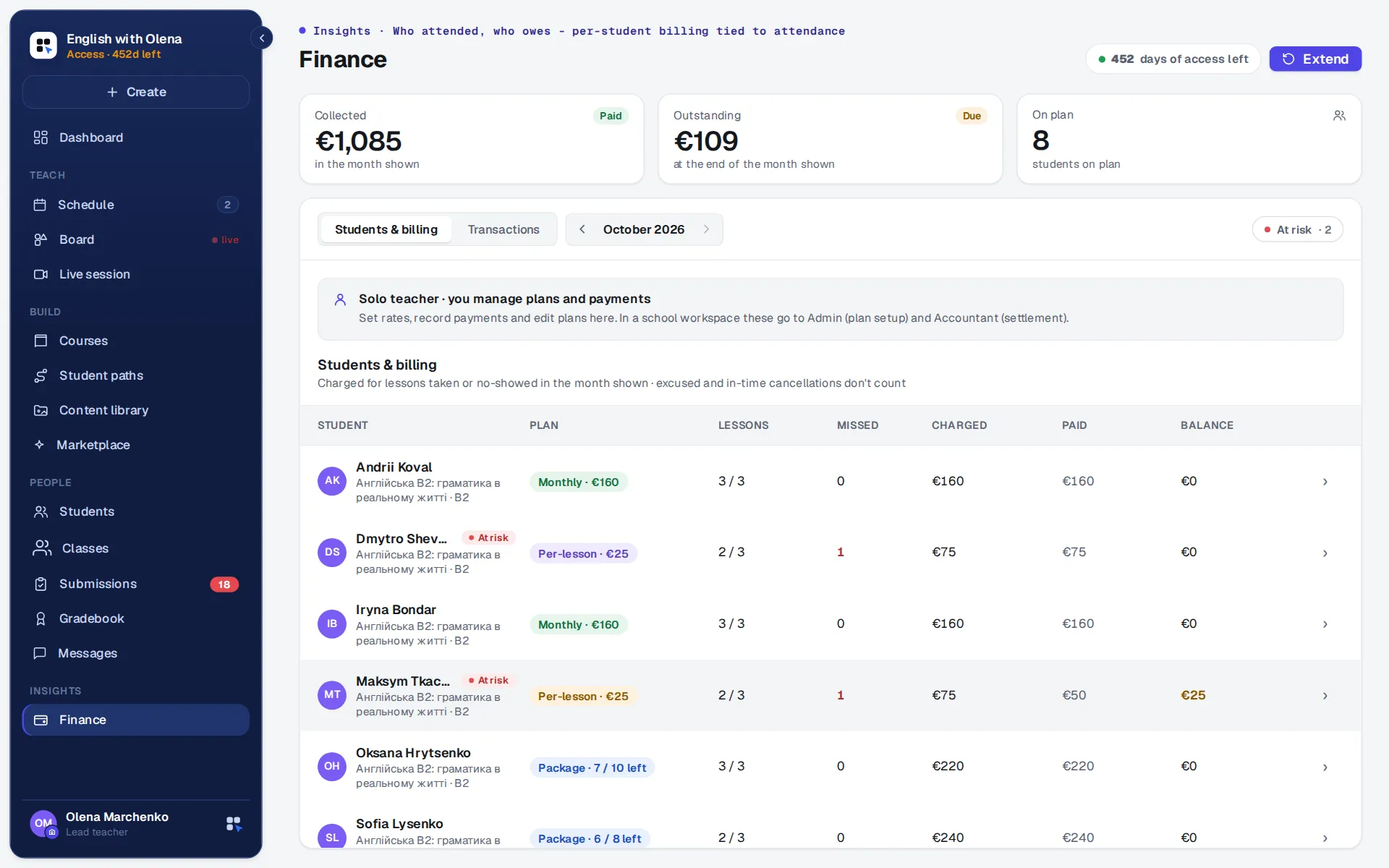
Set each student's plan once: per lesson, a package or monthly, at your price. The lessons they take become what they owe, the payments you record bring it down, and the balance carries into the next month by itself.
30 days free, no card.
The notebook this replaces.
A spreadsheet with a column per month, a note on who paid for four lessons in advance, and a count of who missed what that has to be done again before every reminder. It is never wrong until the month a lesson is moved, and then it is wrong for everybody.
How it works.
A plan for each student
Per lesson, a package of lessons or a monthly fee, as you agreed with them, with their own price if theirs differs.
Charged from the lessons you mark
Lessons taken and no-shows are charged; an excused absence or a lesson cancelled in time is not. Each student's month opens into its lessons, with the charge beside each one.
You record what came in
However they paid you, you note the payment and the balance moves. A package counts down by itself.
The balance carries over
What is left at the end of a month, owed or in credit, is where the next month starts.
At a glance.
The month's money collected, what is still owed and how many students are on a plan. Owed opens the list of who owes. Missed lessons stand out in red, and a student whose attendance is slipping is marked before it becomes a conversation.
The family sees the same numbers.
A parent's page shows what is due or in credit, what came over from last month and the history of payments, read from the same account, without your own notes on it.
What parents seeFor a school.
The office sees every teacher's students in one place, with the school's own price list and prepaid lessons, and the families are reminded as their lessons run out.
For schoolsBring this month's list of who owes.
30 days free, no card. You go straight into your workspace, with a course already in it; the login details come by email too.
One step left: open the letter
We have sent the link to . Open the letter from EdTechCore: it opens your workspace, or offers to sign in if the address already has an account. It usually arrives within a minute; if it is not in your inbox, look in Promotions and Spam. If you asked more than once today, any of the letters will do: the link is the same.
This is a workspace of your own, to try everything as a teacher would. We set up the school together with you.
Asked again. Every letter carries the same link as the first; one address gets only a few letters a day.
Could not send the request. Please try again.
Another address?